Deploying a Next.js App with AWS Amplify, Prisma, and Neon PostgreSQL
AdminMarch 18, 202610 min read
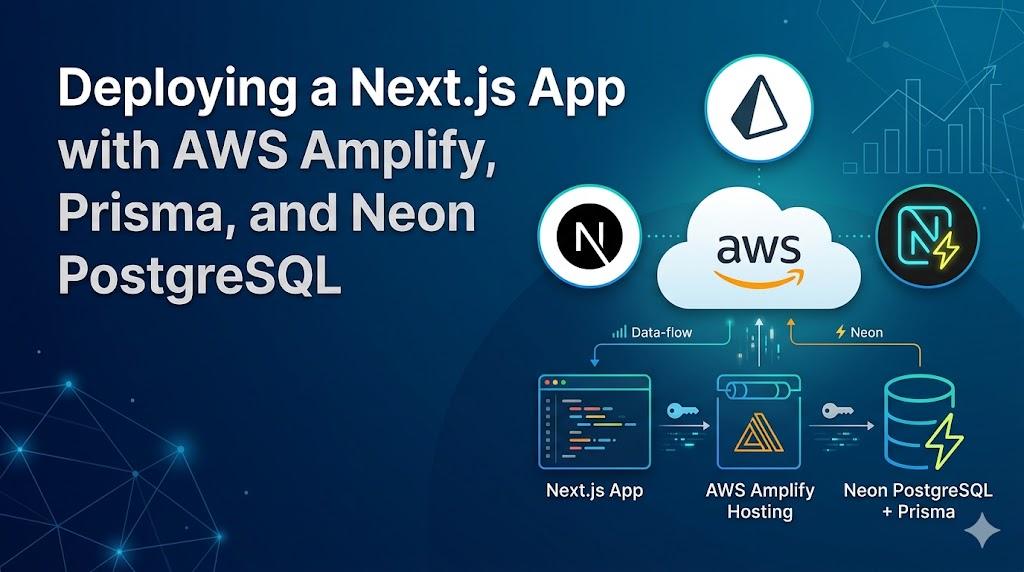
When I started building DxPress a WordPress clone powered by Next.js, Prisma, and PostgreSQL , I needed a hosting solution that could handle server-side rendering without me managing infrastructure. AWS Amplify Gen 2 fits that bill: push your code, and it builds and deploys a full-stack Next.js app with SSR support out of the box.
But getting there wasn't entirely smooth. This post covers how I set up the deployment pipeline, the specific build failures I ran into when adding a new database field , and the kind of issues that don't show up in tutorials but will absolutely bite you in production.
main)amplify.yml Build SpecAmplify uses an amplify.yml file at the root of your project to define build phases. Here's what mine looks like after the fixes I'll describe below:
version: 1
frontend:
  phases:
    preBuild:
      commands:
        - npm ci
        - npx prisma generate
        - npx prisma migrate deploy
    build:
      commands:
        - env | grep -E '^(DATABASE_URL|NEXTAUTH_SECRET|NEXTAUTH_URL|S3_)' | sed 's/=.*/=****/' || true
        - npm run build
  artifacts:
    baseDirectory: .next
    files:
      - '**/*'
  cache:
    paths:
      - node_modules/**/*
      - .next/cache/**/*
Key points:
npx prisma generate generates the Prisma Client so your code can talk to the databasenpx prisma migrate deploy applies any pending migrations to the production database , this was the missing piece that caused my first failureenv | grep ... line is a debug helper: it logs which env vars are set (values masked) so you can verify your Amplify environment config without leaking secrets.next/ because Amplify's Next.js SSR support serves from the built output thereAmplify gives you two places to store configuration: Environment variables and Secrets. The difference matters. Environment variables are stored in plaintext and visible to anyone with console access. Secrets are encrypted with AWS Systems Manager (SSM Parameter Store) and masked in the UI and build logs.
Rule of thumb: if the value would be dangerous in the wrong hands: database credentials, API keys, signing secrets then it belongs in Secrets, not Environment variables.
Here's how I split my configuration:
These are non-sensitive configuration values that are safe to store in plaintext:
| Variable | Description |
|---|---|
NEXTAUTH_URL | Your production URL (e.g., https://inkwell.example.com) |
S3_BUCKET | S3 bucket name for media uploads |
S3_REGION | AWS region for S3 |
These contain credentials, connection strings, and signing keys , anything that could be exploited if exposed:
| Secret | Description |
|---|---|
DATABASE_URL | Neon pooled connection string (contains password) |
DIRECT_DATABASE_URL | Neon direct connection string (contains password) |
NEXTAUTH_SECRET | Secret key for signing JWT sessions |
S3_ACCESS_KEY | IAM access key for S3 |
S3_SECRET_KEY | IAM secret key for S3 |
The distinction between DATABASE_URL and DIRECT_DATABASE_URL is critical more on that below.
If you originally put sensitive values in Environment variables (like I did), here's how to move them to Secrets and why you should also rotate them.
DATABASE_URL) and the valueAmplify stores these in AWS Systems Manager Parameter Store as SecureString parameters, encrypted with your account's KMS key.
amplify.ymlSecrets aren't automatically injected as environment variables the way Environment variables are. You need to explicitly make them available in your build spec. Update your amplify.yml to reference them:
version: 1
frontend:
  phases:
    preBuild:
      commands:
        - npm ci
        - npx prisma generate
        - npx prisma migrate deploy
    build:
      commands:
        - env | grep -E '^(DATABASE_URL|NEXTAUTH_SECRET|NEXTAUTH_URL|S3_)' | sed 's/=.*/=****/' || true
        - npm run build
  artifacts:
    baseDirectory: .next
    files:
      - '**/*'
  cache:
    paths:
      - node_modules/**/*
      - .next/cache/**/*
For Amplify Gen 2 (SSR/Next.js), secrets added through the console are automatically available as environment variables during both the build phase and at runtime. You don't need extra configuration just make sure the secret key names match what your code expects.
DATABASE_URL, DIRECT_DATABASE_URL, NEXTAUTH_SECRET, S3_ACCESS_KEY, and S3_SECRET_KEYNEXTAUTH_URL, S3_BUCKET, S3_REGION) in placeThis is the step people skip, and it's the most important one.
If a secret was stored as a plaintext Environment variable even briefly then you should treat it as potentially compromised. Environment variable values are visible in the Amplify Console, may appear in build logs, and are stored without encryption. Anyone with console access could have seen them.
What to rotate:
DATABASE_URL and DIRECT_DATABASE_URL secrets in Amplify with the new connection stringsNEXTAUTH_SECRET: Generate a new random value (e.g., openssl rand -base64 32) and update the secret in Amplify. Existing user sessions will be invalidated and users will need to log in againS3_ACCESS_KEY and S3_SECRET_KEY in Amplify Secrets, then deactivate and delete the old key pairAfter updating, trigger a new build to verify everything still works with the rotated credentials.
Trigger a build and check the logs. The masked env | grep line in the build spec should still show your variable names (confirming they're set) without values. If any of them are missing, double-check that the secret key names match exactly.
When you push to your connected branch, Amplify kicks off a build automatically. To check on it:
amplify.yml commands executing. Errors show up here in red.When a build fails:
npm run build fails, Next.js might be trying to execute server code at build time (like database queries in pages that should be dynamic)env | grep line in my build spec helps confirm vars are set. Missing env vars are a silent killernpm run build locally with your production env vars to reproduce the issue before pushing another commitHere's the real story. I added a "years of experience" feature to the homepage. The implementation was simple:
careerStartDate field to the SiteConfig model in Prismanpx prisma migrate dev --name add_career_start_dateThe migration SQL was trivial:
ALTER TABLE "site_configs" ADD COLUMN "careerStartDate" TIMESTAMP(3);Locally, everything worked. I pushed to main, Amplify built it, and... the app crashed.
My original amplify.yml only had npx prisma generate in the preBuild phase. That generates the TypeScript client but doesn't apply schema changes to the database. The production Neon database still had the old schema , no careerStartDate column , so any query touching that field failed at runtime.
The fix: Add npx prisma migrate deploy to the preBuild phase. This runs pending migrations against the production database before the build starts.
preBuild:
  commands:
    - npm ci
    - npx prisma generate
- npx prisma migrate deploy # <-- THIS WAS MISSINGAfter adding migrate deploy, the build failed again , but with a different error this time. Prisma's migration engine needs advisory locks to safely coordinate migrations, and Neon's connection pooler (PgBouncer) doesn't support advisory locks.
My DATABASE_URL pointed to Neon's pooled endpoint (port 5432 with the -pooler suffix in the hostname). That's the right connection for runtime queries and it's faster and handles connection scaling. But migrations need a direct connection.
The fix: Use Prisma's directUrl feature. In schema.prisma:
datasource db {
  provider  = "postgresql"
  url       = env("DATABASE_URL")         // pooled  used at runtime
  directUrl = env("DIRECT_DATABASE_URL")  // direct  used for migrations
}
Then in Amplify's environment variables, set DIRECT_DATABASE_URL to Neon's direct (non-pooled) connection string. You can find this in the Neon dashboard it's the connection string without -pooler in the hostname.
One more surprise: the npm run build step was also failing. Next.js was trying to statically generate my RSS feed route (/feed.xml), which queries the database for posts. At build time, the database connection worked, but the static generation approach meant Next.js was baking the feed content into the build output instead of generating it on each request.
The fix: Mark the route as dynamic:
// app/feed.xml/route.ts
export const dynamic = "force-dynamic";
This tells Next.js to always render this route at request time, not at build time. Problem solved.
Always run migrations in CI/CD. prisma generate is not enough you need prisma migrate deploy to apply schema changes to your production database.
Know your connection types. If you're using a connection pooler (Neon, Supabase, PgBouncer), you need a separate direct connection for migrations. Prisma's directUrl makes this painless.
Watch out for build-time data fetching. Next.js will try to statically generate pages that fetch data at the top level. If those pages query a database, they'll fail at build time (or worse, succeed with stale data). Use export const dynamic = "force-dynamic" for routes that need fresh data.
Use Secrets, not Environment variables, for sensitive values. Amplify's Environment variables are stored in plaintext. Database passwords, API keys, and signing secrets belong in Amplify Secrets (backed by SSM Parameter Store). If you stored secrets as environment variables, even temporarily, rotate those credentials immediately.
Add observability to your build. Even a simple env | grep command that logs which variables are set (without values) saves time when debugging missing configuration.
Test with npm run build locally. Don't rely on Amplify to be your first feedback loop. Build locally with production env vars to catch issues before they hit your pipeline.
In the end, the full fix was three commits:
prisma migrate deploy to amplify.yml and mark feed.xml as dynamicdirectUrl to the Prisma schema for Neon pooler compatibilityEach commit fixed one layer of the problem. The feature itself was straightforward, it was the deployment pipeline that needed the real engineering.
amplify.yml includes both prisma generate AND prisma migrate deployDATABASE_URL env var points to the pooled Neon connectionDIRECT_DATABASE_URL env var points to the direct Neon connectiondirectUrl = env("DIRECT_DATABASE_URL")dynamic = "force-dynamic" if they shouldn't be statically generatednpm run build succeeds locally before pushing